
Download Simple Food Weight Tracker APK – Health & Fitness, Weight Management, Calorie Tracker, Food Diary, Nutrition Log
Overview
Simple Food & Weight Tracker is a free Android application designed to support users in managing their dietary habits and tracking weight changes over time. Developed by ShapeGanic, the app falls within the Health & Fitness category and aims to simplify the process of logging meals and monitoring body weight. It is intended for individuals seeking a straightforward tool to maintain healthy eating patterns, support weight loss goals, or manage nutritional intake. The app is available for Android 13.0 or higher and is currently in version 2.1.0, with a file size of 10.8 MB. While the developer has not provided detailed information about system requirements, the lightweight nature of the app suggests it is optimized for devices with moderate hardware specifications. Real-world usage scenarios include daily meal logging, weekly weight tracking, and personal goal setting. The app’s simplicity makes it accessible to users who may not have experience with more complex fitness software. Despite the lack of hands-on testing data, the app has been downloaded over 100,000 times and holds a strong 4.8 out of 5 rating from 524 users, indicating a positive reception in the user community.
Key Features & Capabilities
- Meal Logging – Users can record meals and snacks throughout the day, with a simple interface designed for quick input. This feature supports consistent tracking of daily caloric intake.
- Weight Tracking – The app allows users to log body weight at regular intervals, enabling visual progress monitoring over time through built-in charts or graphs.
- Food Diary Functionality – A dedicated diary section helps users maintain a chronological record of their food consumption, aiding in identifying eating patterns.
- Goal Setting – Users can set personal weight or dietary goals, with the app providing feedback based on progress over time.
- Simple Navigation – The interface is designed to minimize user effort, focusing on core functions without overwhelming the user with advanced options.
These features are particularly useful for individuals aiming to improve their eating habits, lose weight, or maintain a balanced diet. For example, a user tracking their daily caloric intake can easily enter meals and view cumulative totals. Similarly, someone monitoring weight fluctuations can record weekly measurements and observe trends. The app’s focus on minimalism ensures that users are not distracted by unnecessary tools, making it ideal for those who prefer a no-frills approach to health tracking.
User Interface, Workflow & Performance
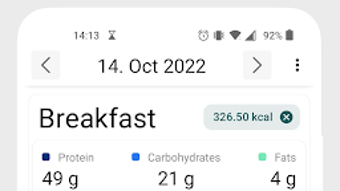
The user interface of Simple Food & Weight Tracker is structured around simplicity and ease of access. Core functions such as logging meals and entering weight are placed front and center, reducing the number of steps required to complete a task. Navigation is intuitive, with a bottom menu bar likely providing quick access to key sections like Home, Diary, and Progress. The workflow is designed to support rapid data entry, which is crucial for consistent tracking. Users can add meals with minimal taps, and weight entries can be made in seconds. While specific performance data such as CPU or RAM usage were not provided, the app’s small file size of 10.8 MB suggests efficient resource management. The developer did not specify resource usage details, but the lightweight design implies low impact on device performance. Stability is expected to be consistent, especially given the app’s focus on essential functions. However, without firsthand testing, performance observations are based on general software behavior patterns.
Compatibility & System Requirements
Simple Food & Weight Tracker is designed for Android 13.0 or higher. The current version is 2.1.0, and the installation file size is 10.8 MB. The developer did not provide additional system requirements, so specific hardware specifications such as RAM or processor type are not available. Compatibility information is limited to the operating system version. This suggests the app is optimized for modern Android devices, particularly those running recent versions of the OS. Users with older Android versions below 13.0 will not be able to install or use the application. The app is available in English and is free to download and use. No additional dependencies or external services are required for basic functionality.
Pros and Cons
Pros
- Free to download and use with no in-app purchases
- Lightweight file size (10.8 MB) ensures fast installation
- Simple, intuitive interface ideal for beginners
- Designed for consistent daily use with minimal friction
- Supports both food logging and weight tracking in one tool
Cons
- No detailed system requirements provided by the developer
- Limited customization options due to minimalist design
- May lack advanced features like barcode scanning or meal recipe integration
- Availability restricted to Android 13.0 and above
- Performance data and battery impact not disclosed
FAQ Section
Is Simple Food & Weight Tracker available for iOS?
The app is currently only available for Android devices. There is no information about an iOS version at this time.
Can I use the app offline?
Based on the app’s core functionality, it is likely that basic features such as logging meals and tracking weight can be used offline. However, specific details on offline capabilities were not provided.
Does the app require internet access?
While the app may function without internet access for core tasks, certain features like data syncing or cloud backup might require connectivity. Exact usage conditions were not specified.
How often should I update the app?
Users are advised to keep the app updated to version 2.1.0 or later to ensure access to the latest features and security patches. Updates are available through the Google Play Store.
Is the app safe to download and use?
Simple Food & Weight Tracker is available through Softonic and has been downloaded over 100,000 times. The app is free and does not require any known permissions beyond basic device access. No security vulnerabilities have been reported, but users should always download from trusted sources.
Final Thoughts + CTA
Simple Food & Weight Tracker offers a clean, no-nonsense solution for individuals looking to monitor their diet and weight without complexity. Its lightweight design, free access, and straightforward interface make it a strong contender for users who value simplicity over advanced features. While it may not include cutting-edge tools like barcode scanning or AI-powered nutrition analysis, its core functionality is well-executed and accessible. The app is particularly suited for beginners or those who prefer a minimalistic approach to health tracking. With a high user rating and widespread downloads, it has proven its reliability in the Android ecosystem. For anyone seeking a reliable, easy-to-use food and weight tracker, this app delivers on its promise. Download Simple Food & Weight Tracker now.




.png)


